How to Develop AP Policies that Scale with Your Nonprofit

Your accounts payable team does more than pay bills. They maintain vendor information, route invoices for approval, protect payment details, resolve exceptions, and make sure every transaction reaches the right account, fund, or project. Clear AP policies keep that work moving. They also create the consistent data, documented processes, and approval rules your organization needs as more of the workflow becomes automated.
Here’s why your nonprofit needs accounts payable policies and how you can design them to scale with your organization.
Why Your Nonprofit Needs Strong Accounts Payable Policies and Procedures
A nonprofit’s success hinges on its ability to manage finances transparently and efficiently. Effective AP policies and procedures support financial compliance, scalability, and operational efficiency.
Here are a few reasons why strong AP policies and procedures are essential for every nonprofit organization:
Timely Payments and Healthy Cash Flow
Efficiently managing your accounts payable helps your organization make timely payments, fostering good relationships with vendors and service providers. Clear guidelines on handling approvals, even when key staff are out of the office, keep the process moving without unnecessary delays. Timely payments—with no late fees—help maintain a healthy cash flow, which is crucial for the sustainability of any nonprofit.
Fraud Mitigation
AP policies establish clear standards and procedures, playing a vital role in deterring fraud. This includes measures such as requiring dual signatures on checks and ensuring the separation of duties. By dictating these standards, everyone is aware of the expectations so your organization can recognize and address outliers quickly and prevent bad actors from exploiting the system.
Streamlined Onboarding and Knowledge Sharing
With strong AP policies, everyone in the organization knows where to find information about your processes, how automations are supposed to work, what is required, and why. This makes onboarding new staff easier and prevents knowledge from being siloed with specific individuals.
What Your AP Policies and Procedures Should Include
Good AP policies should remove confusion and provide consistency in how you manage expenses and pay your vendors. This list includes policies, procedures, and system configuration, which together provide the foundation for strong AP processes.
- Policy: The rule or control, such as requiring a second approval above a defined threshold
- Procedure: The steps staff follow to comply with that rule
- System configuration: How roles, workflows, or approval settings support the policy
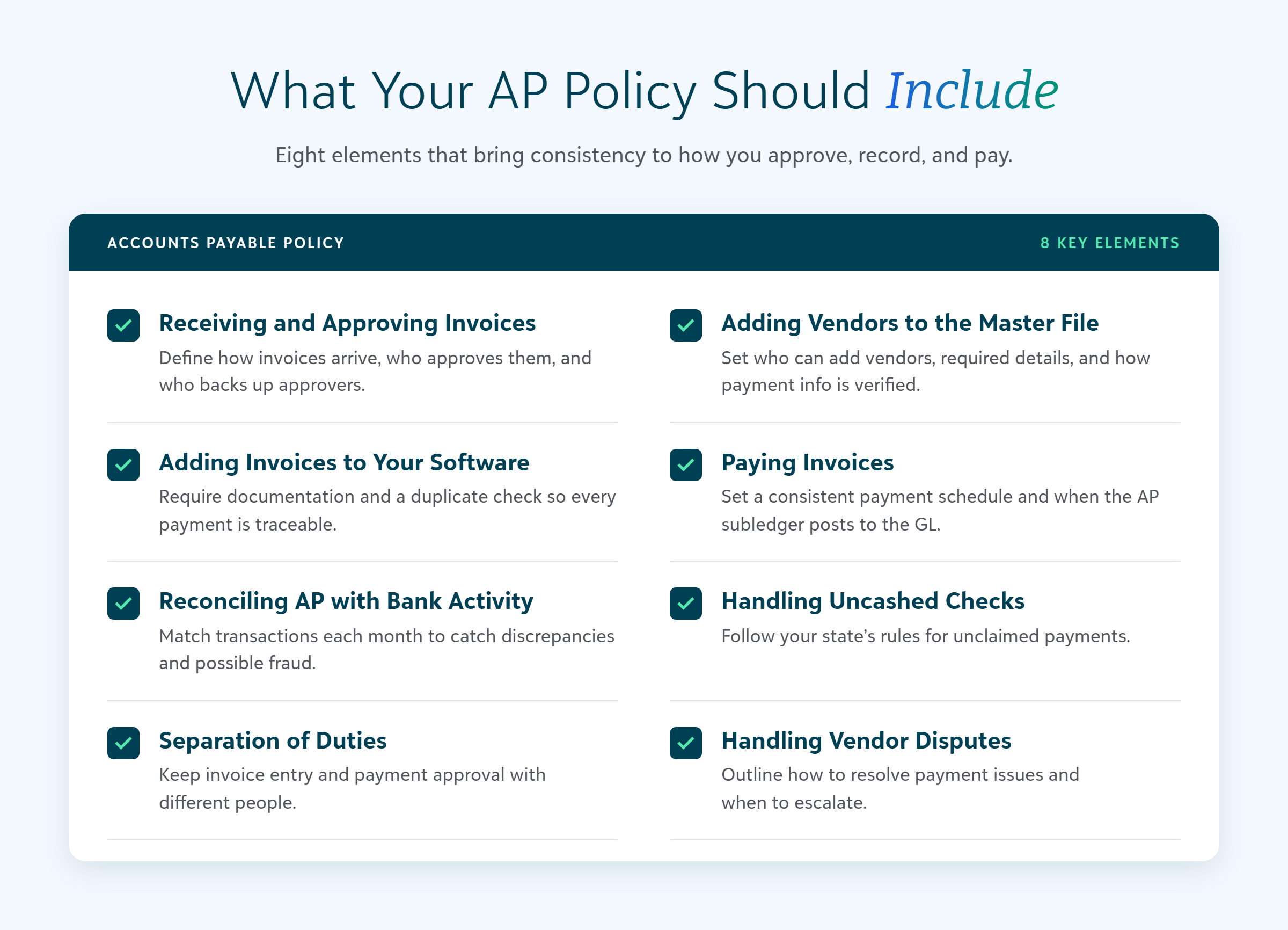
Here are some of the key elements that should be included in your AP policy document:
Receiving and Approving Invoices
Outline how invoices can be received and who should approve them, including backup approvers when staff are out of the office. This ensures that there is no bottleneck in the process and that invoices are processed promptly.
Adding Vendors to Your Master Vendor File
Specify who can add a vendor and what information is required for each vendor. Include guidelines on how often the Master Vendor File (MVF) is reviewed and updated, how to validate payment details, and when to request updated 1099 forms. Also include information on when your team should review inactive vendors.
Regular updates to the MVF help maintain accurate records and ensure compliance with tax regulations. These policies and controls also help to minimize risk from vendor scams by clarifying how your team will review and verify changes.
Adding Invoices to Accounting Software
Detail the documentation required for each invoice and the process for checking for duplicates. This includes attaching copies for an easy audit trail. Clear documentation standards help maintain accuracy and facilitate audits because other team members and auditors can easily trace payments to invoices.
Paying Invoices
Establish a schedule for when invoices are paid and when the AP subledger is posted to the general ledger (GL). Do you run your payments every Thursday or on specific days of the month? Consistent payment schedules help manage cash flow and provide a clear timeline for financial reporting.
Reconciling Ap with Bank Transactions
Reconciliation of AP with bank transactions is crucial for smoothly closing the monthly books. This process ensures that all transactions are accurately recorded and you can promptly address any discrepancies and identify any possible fraud.
Handling Uncashed Checks
Different states have different rules for remittance to the state for unclaimed payments. Your AP policies should include guidelines on how to handle uncashed checks in compliance with state regulations.
Separation of Duties
Establish clear separation of duties across AP processes to prevent fraud and errors. For example, the staff entering invoices should not be the same as those approving payments. This internal control measure helps safeguard the organization’s assets.
Handling Discrepancies and Disputes with Vendors
Outline guidelines for addressing what happens when a vendor disputes a payment amount or there is an issue with an invoice. Clear procedures help resolve issues quickly and maintain good relationships with vendors. Knowing what to do in specific situations—and when they need to be escalated—gives your staff autonomy.
How to Prepare Your AP Policies for Automation
Nonprofits can benefit from automating many of the manual tasks associated with AP processes. Automated payments can increase efficiency, reduce errors, and provide better control over financial operations. Here are five areas to address to make sure your organization is ready for AP automation.
1. Establish Data Requirements
Define the information required before a vendor or invoice can move through the workflow. That can include complete vendor records, approved payment details, consistent coding, supporting documentation, payment terms, and the appropriate fund or project information. Having this information complete on the front-end helps improve accuracy in your automated processes and minimizes the outliers that require human oversight.
2. Document the Actual Workflow
Ask the team to map what happens from invoice receipt through reconciliation, including:
- Where invoices arrive
- Who validates the information
- Who codes and approves them
- How exceptions are escalated
- Who can authorize a payment run
- How payment status is monitored
- How completed activity is reconciled
With this workflow documented, you can easily see where automation can remove friction and where humans need to stay firmly in the lead.
3. Define Decision Rights and Human Checkpoints
Preparing for AP automation and agentic finance tools does not mean removing people from accounts payable. But your policy should outline where human judgement matters most, such as:
- Who can create or edit a vendor
- Who can change payment or banking information
- Which invoices require additional review
- What dollar amounts require another approval
- Who can approve a payment run
- Which exceptions must always go to a person
Outline which human checkpoints evolve as the system proves to be accurate and where a human should always be. For example, humans should check automated coding for the first few runs to make sure invoices are being processed appropriately, but eventually the human will only need to address outliers and random spot checks. However, a human should always be involved when money moves in or out of an account.
4. Create Exception Handling Rules
Your policy should define what counts as an exception, who owns it, and what evidence is needed to resolve that exception. For example, an automation may flag a potential duplicate invoice. Who would need to review that, and does any documentation need to be included showing how the determination was made? Here are a few other examples of processes that might need clarification in your AP policy:
- Missing fields or documentation
- New or changed vendor payment information
- Invoice amount outside an expected range
- Payment that conflicts with a fund or project restriction
- Returned, delayed, or uncashed payment
Documenting these rules helps avoid issues sitting in a queue without a clear next step and makes it easier to onboard new team members to the process.
5. Build a Schedule for Ongoing Data and Process Governance
Create a review cadence for the following:
- Vendor records
- Inactive or duplicate vendors
- User access and roles
- Approval thresholds
- Frequent exceptions
- New payment methods
- Process changes introduced by new technology
An annual review as part of your pre-audit preparations is a good baseline, but also plan to review them after meaningful changes to roles, systems, payment methods, or workflows.
Provide Continued Training for Your Staff
Continued training ensures that all staff understand and follow the AP policies and procedures. Here are a few ways to provide effective training:
- Conduct regular training sessions to keep staff updated on any changes to AP policies and procedures.
- Create accessible resources and documentation for quick reference. Link to them in your fund accounting system so everyone has access.
- Establish a support system for addressing questions and resolving issues promptly.
By investing in ongoing training, you can ensure that your team is well-equipped to handle AP processes efficiently and accurately.
Review Your Nonprofit’s AP Policies as You Scale
Strong accounts payable policies are essential for the smooth operation of any nonprofit organization. They provide a framework for managing expenses, ensuring timely payments, and maintaining good vendor relationships. As your nonprofit grows and technology evolves, it’s important to regularly update your AP policies to ensure they remain effective and scalable. Plan to review your AP policies annually, and any time you have a significant change to your processes, such as when you change your fund accounting system.
Ready to see how automated payments can help you increase efficiency and mitigate fraud in your AP processes? Check out the Guide to Understanding Automated Payments. By staying proactive and adapting to new technologies, your nonprofit can achieve greater financial stability and success.